Voice and Siri
Log baby feeds and diapers by voice or with Siri
Say it once. Check it. Done. Speak or type one sentence in the app, or tell Siri on iPhone without opening it.
Log a feed with Siri on iPhone
On iPhone with iOS 18 or later. Two steps, without opening the app.
Log a bottle
- You: Hey Siri, log with Happy Charlie
- Siri: Log what?
- You: Theo had 4 ounces of formula
- Siri: Theo had 4 fluid ounces of formula at 3:00 PM.
Ask about the last feed
- You: Hey Siri, ask Happy Charlie when was the last feed
- Siri: Theo's last feed was at 3:00 PM, 1 minute ago: 4 fluid ounces formula.
- Siri saves the entry and says so. On an unlocked iPhone it says what was saved. On a locked one it says only “Logged.”
- Undo or edit it in the app.
- Medicine and temperature open the app. You enter those by hand.
Watch the 3-minute voice and Siri demo
Logging through Google Gemini on Android is coming. On Android today, speak in the app.
In the app, see it before it saves
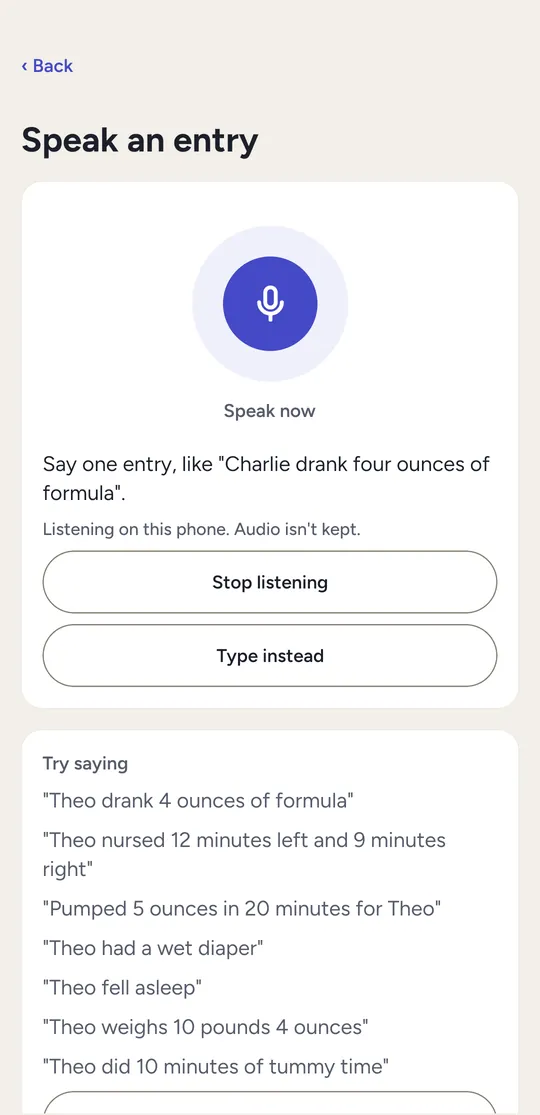
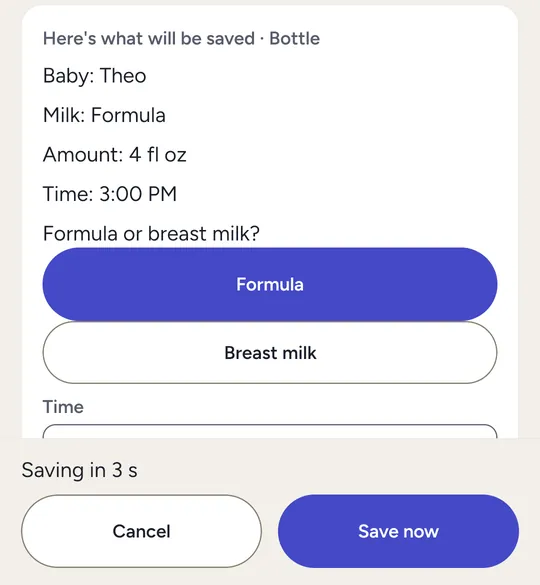
“Theo drank 4 ounces of formula at 3 pm” becomes a bottle: baby, milk, amount, and time. Change anything, cancel, or let it save after five seconds.
Sentences like these
On iPhone and Android, by voice or typed. On the web, typed.
Theo drank 4 ounces of formula at 3 pm
Nursed 15 minutes on the left
Theo slept from 1 to 3
Theo had a wet diaper
Pumped 4 oz for 15 minutes
Theo did tummy time for 10 minutes
Or ask a question
Answers come from your records. Nothing is saved.
When was the last feed?
Are any timers running?
How many diapers today?
Which side was last?
How long has Theo been asleep?
How long did Theo sleep last night?
Ask Gemini or Claude about your records. How to connect
Will it save by itself?
One entry
The app shows what it understood, then saves after five seconds. Change it or cancel first. Undo after.
Two or three at once
They wait for you to tap Save.
With Siri
Siri saves it and says so. Undo or edit it in the app.
Careful by design
The right child
With more than one child, say a name or it will ask which child you mean.
No recordings kept
The phone turns speech into text. The audio isn't stored.
Medicine by hand
Voice never creates a medicine or a temperature. You enter those yourself.