
Family
Share the care, not a password
Each person gets their own sign-in and joins with a private link.
Send a link
An administrator shares an invite. Each link works once and expires.
They join
They sign in with Google, Apple or an email code, and pick how they relate to the baby, or skip it.
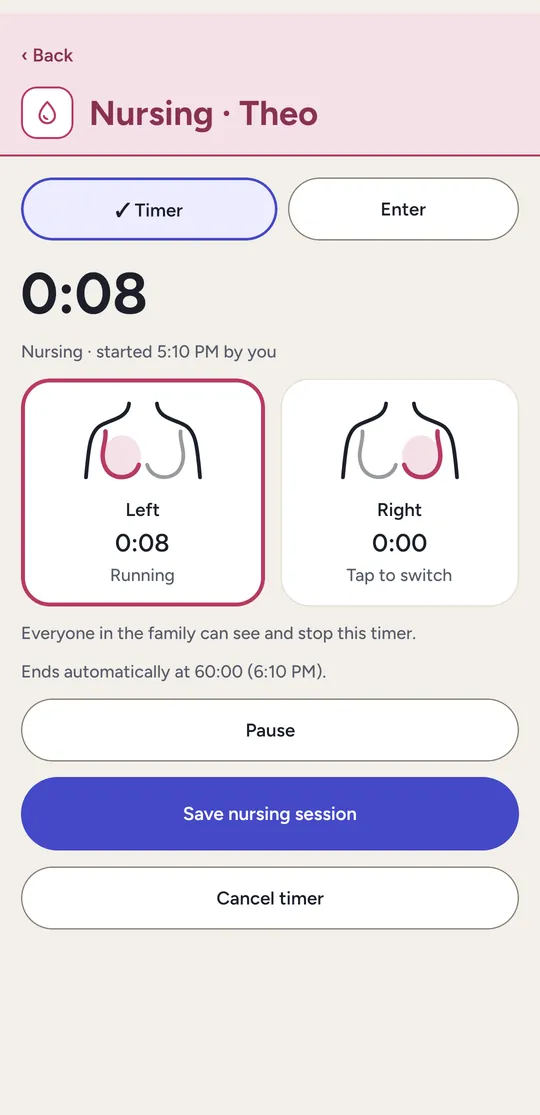
Log together
Every entry and change shows who made it.
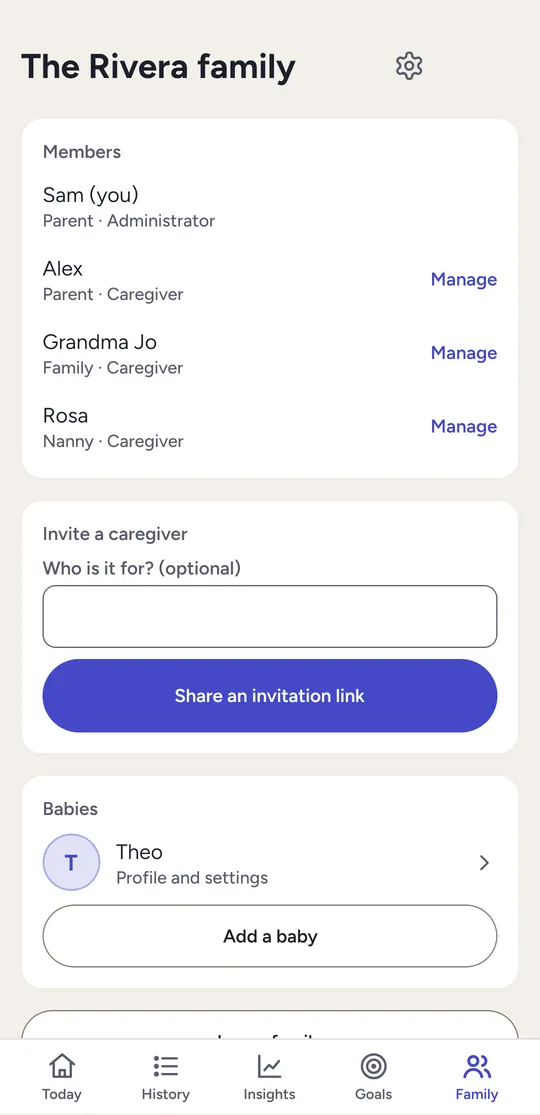
Who can do what
| Action | Administrator | Caregiver |
|---|---|---|
| Log, edit and see records | Yes | Yes |
| Start and stop shared timers | Yes | Yes |
| Set personal reminders | Yes | Yes |
| Invite or remove members | Yes | – |
| Add and edit children | Yes | – |
| Export, import, or delete a child | Yes | – |
Always in step
Changes reach everyone's phones. Offline entries catch up when the phone reconnects.
No lost entries
If two people change the same entry, both versions are kept for you to choose.
Remove access any time
A removed member loses access on their next request.
For adults
Each account holder must be an adult where they live. A younger family member may help on an adult's account, with that adult's permission. The Terms explain this.